Make a Custom Coloring Book from Your Photos
Turn your family photos, pets and adventures into a one-of-a-kind coloring book, or write a story starring your child and get a coloring book of it. Personalized cover, every page ready to print.
- No credit card needed
- 3,900+ coloring pages drawn so far
You can change both later.
Book language (the last page)
One book: up to 20 photo pages, a cover and a print-ready PDF. Uses 40 credits
Made with this tool
Three pages straight out of this tool, not touched up. The photos are AI-made stand-ins, so no one's family picture appears here.
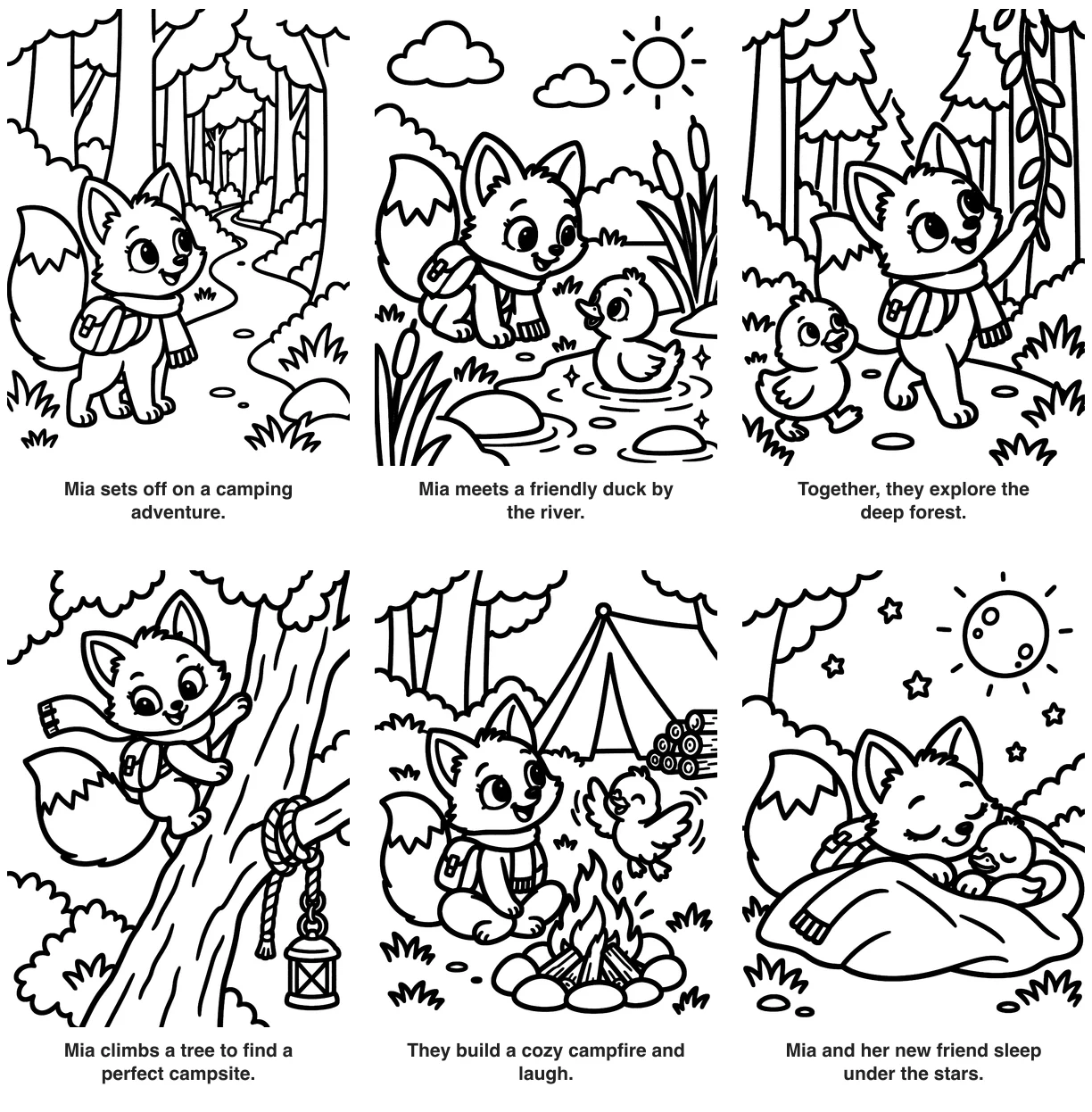
Story book
Six pages, the same fox on every page
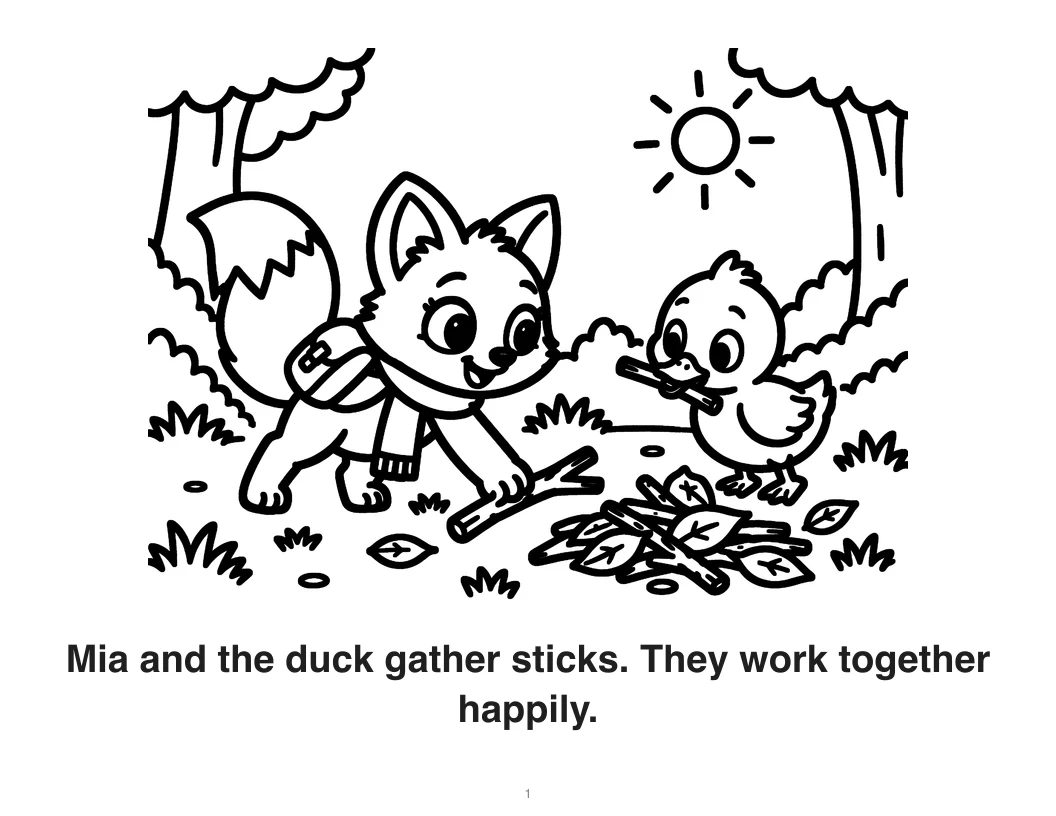
Story book with text
A wide picture with the story under it
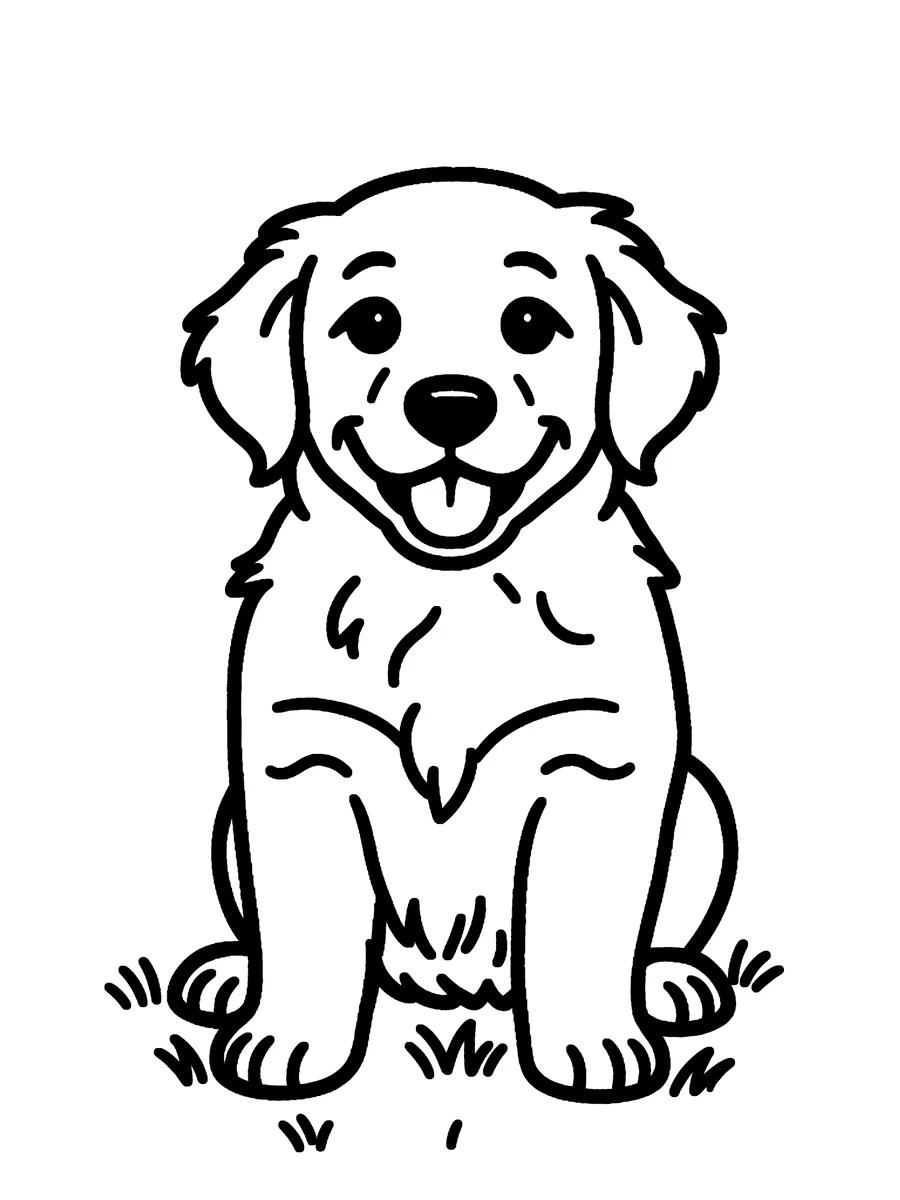
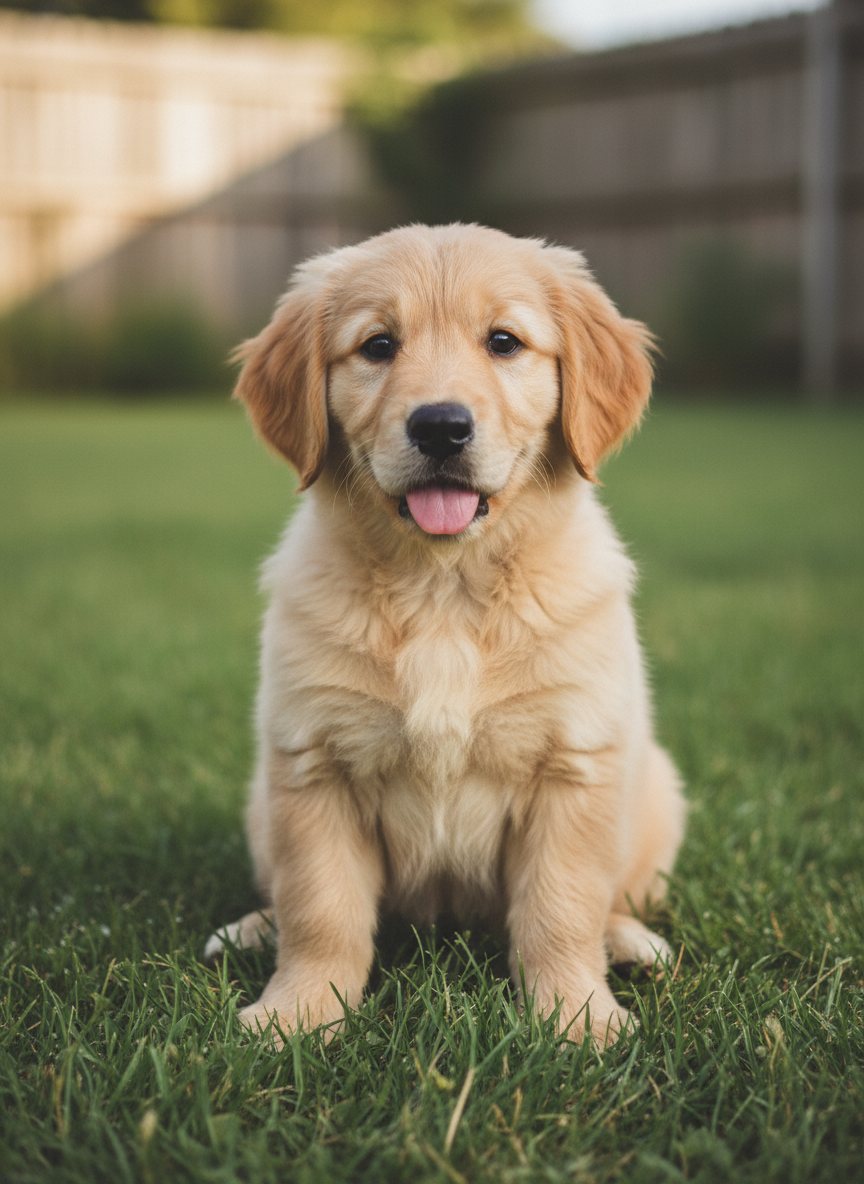
Photo book
One of your photos, one page
Two kinds of books
- Photo book. Your own photos become coloring pages. 40 credits a book, up to 20 photo pages.
- Story book. Tell us who the hero is and what happens. We write a short story and draw one coloring page for every scene. 2 credits per page: 6 pages = 12 credits, 8 pages = 16 credits, 12 pages = 24 credits.
How to make your coloring book
- Upload your photos. Add up to 20 pictures: kids, grandparents, pets, vacations, the first day of school.
- Choose a style. Simple for little kids, Detailed for older kids and adults, Cartoon for a fun illustrated look. Every page uses the same style so the book feels consistent.
- Review the pages. Reorder them, remove any you don't like, or redo a single page.
- Design the cover. Add a title like "Emma's Summer Adventures" and a name, if you like. The first page in the book becomes the cover image, so move your favorite to the front.
- Download your book. Get one print-ready PDF with the cover, every coloring page and an "About the artist" page.
Make a story book
A story book is a coloring book with a plot. Your child is the hero.
- Choose Story book on the start page.
- Fill in the hero. Give a name, say what they look like (a small fox with a red scarf, a girl with curly hair and a yellow raincoat) and describe the story you want.
- Pick the length and the layout. Choose 6, 8 or 12 pages. Pick Pictures only (one picture per page with a short line underneath) or Wide picture and story (a landscape picture with the story text underneath).
- Pick the book's language. English is the default. You can also choose Japanese, Korean, Spanish, Portuguese, German or French. The story text and the "About the artist" page at the end use the language you choose.
- We write and draw. An outline is written first, then each page is drawn as its own scene. The hero stays recognizable on every page while the pose and the expression change from scene to scene.
- Review and download. Add a cover and download one print-ready PDF. The story text is set in a round, bold font that is easy for children to read.
Story books are made from your description, not from photos, so there is nothing to upload. A page that fails to draw does not use up your pages: you can draw the missing page again.
What this coloring book maker costs
| Book | Pages | Credits |
|---|---|---|
| Story book | 6, 8 or 12 | 12, 16 or 24 |
| Photo book | Up to 20 from your photos | 40 |
Credits are charged once, when you start the book. A photo book covers 20 photo pages and 10 redraws, and a drawing that fails doesn't count. Building the PDF is free, and you can rebuild it as often as you like.
A single photo page costs 3 credits, so a photo book starts to save credits at 14 photos. A smaller book costs more per page, though you still get the cover and the single PDF.
What's in a personalized coloring book PDF
The PDF is one file, on US Letter pages. It holds a cover with your title, the first page as cover art and an optional name, then one sheet per page, then an "About the artist" page.
You can add up to 30 pages in total. Press Add free pages to choose from your 40 newest creations and the 40 newest gallery pages. It has no search, so a certain gallery page may not be listed, and you can print that one separately.
A personalized coloring book works best when it is made for one reader. Pick the style for the person holding the crayon, and pick photos with big, clear shapes.
Before you start a book
- You can't preview a photo book for free. To test a photo first, use Photo to Coloring Page, which gives visitors without an account 1 free page a day while the shared daily allowance lasts.
- A photo book has one style. To use a different one, start a new book.
- Books are kept for 30 days, so download the PDF and keep your own copy.
- A story book draws from words, so your child won't look like their photo. A photo book draws from your photos.
Perfect for
- Birthday gifts starring the birthday kid and their friends
- Grandparents: a book of the grandkids to color together
- Family vacations: relive the trip page by page
- New siblings: help a big brother or sister get excited about the baby
- Pet lovers: a whole book of your dog's or cat's best moments
- Classrooms: a class book from field-trip photos (with parents' permission)
- Weddings and baby showers: activity books for guests
Printing your book
- At home: print single-sided on regular paper for crayons and colored pencils, or heavier paper for markers. Staple, ribbon-tie or use binder rings.
- At a print shop: take the PDF to any copy shop for spiral or comb binding and a cardstock cover.
Our guide on how to make a coloring book covers paper and binding options.
Frequently asked questions
How do I make a coloring book from my own photos?
For a photo book, upload your photos, choose a line style, arrange the pages, add a cover, and download the finished book as a single PDF.
What is the difference between a photo book and a story book?
A photo book turns your own pictures into coloring pages. A story book is written and drawn from your description: you choose the hero, the look and the story, and we make a short story with one coloring page per scene.
How much does a story book cost?
Story books are priced per page at 2 credits a page: 6 pages cost 12 credits, 8 pages cost 16 credits and 12 pages cost 24 credits.
Can I make a story book in another language?
Yes. Choose English, Japanese, Korean, Spanish, Portuguese, German or French as the book language. The story and the "About the artist" page are written in that language.
Will the main character look the same on every page?
The face, body, colors and clothes stay the same from page to page, and the pose and expression change with each scene. Small details can still vary a little, so look through the pages before you download.
How many pages can a custom coloring book have?
A photo book can have up to 20 pages made from your photos. You can also mix in pages from the free gallery and from My Pages at no extra cost, up to 30 pages in the whole book. The cover and an "About the artist" page are added for you.
How much does a custom coloring book cost?
A photo book uses 40 credits. That is less than converting the same photos one by one once you have 14 photos or more. A story book costs 2 credits a page, starting at 12 credits. The 3 free credits new accounts get won't start a book, but they cover one photo page in Photo to Coloring Page (3 credits) or one page in the AI Coloring Page Generator.
Can I try a page before I buy a book?
Yes. Visitors without an account get 1 free page a day from Photo to Coloring Page, in the same three styles. Your free signup credits won't cover a photo page.
How do I choose the cover picture?
The first page in the book is the cover image. Move any page to the front, then build the PDF again. It is free to rebuild.
How long is my book saved?
For 30 days. After that it is gone, so download the PDF and keep a copy.
Can I edit the book after I build the PDF?
Yes, within those 30 days. Change the title or the page order, add or remove pages, then build a new PDF for free.
Can you print and ship the book to me?
Not yet. You get a print-ready PDF to print at home or at a print shop.
What photos work best?
Close-up photos with one clear subject and good lighting. Busy group shots and dark photos produce more cluttered pages.
What happens to my photos?
Photos you upload for a photo book are only used to create your book and are deleted from our servers after processing. A story book needs no photos.